Mac Apps

Accessories

Support

  Shopping Cart
Call Recorderfor Skype
Recording That Just Works

Transform your Skype audio and video calls into QuickTime movies. Completely automatic, easy to use Skype audio and video call recording for Mac users.
Instant Order Fulfillment
Free Upgrades for Life
Fast, Friendly Support
v2.3.10(2.1MB)
Features
Instructions
Settings
FAQ
Download

Call Recorder is an add-on for Skype to automatically transform your audio or video calls into movies.


Here's Why Mac Users Love Call Recorder:
Simply Simple
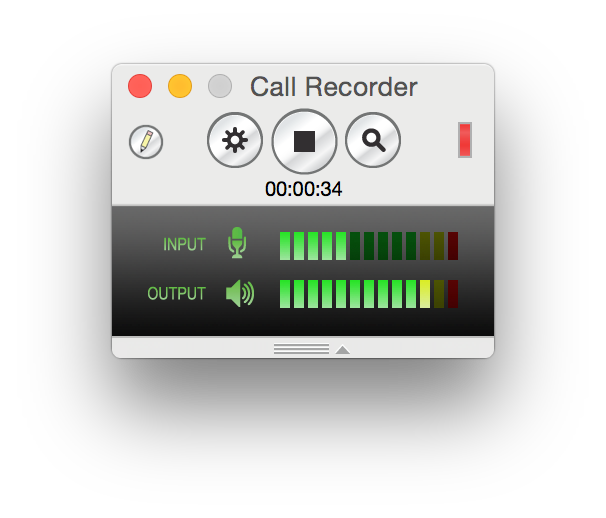
Ecamm puts ease of use first. Install Call Recorder and you'll instantly see recording controls in Skype. Use the Record and Stop buttons, or activate Call Recorder's automatic recording feature. The recorded files are saved into a folder on your Mac, neatly named with the caller's name and the date. That's it!

Record Video Calls with Picture-in-Picture or Split Screen Mode
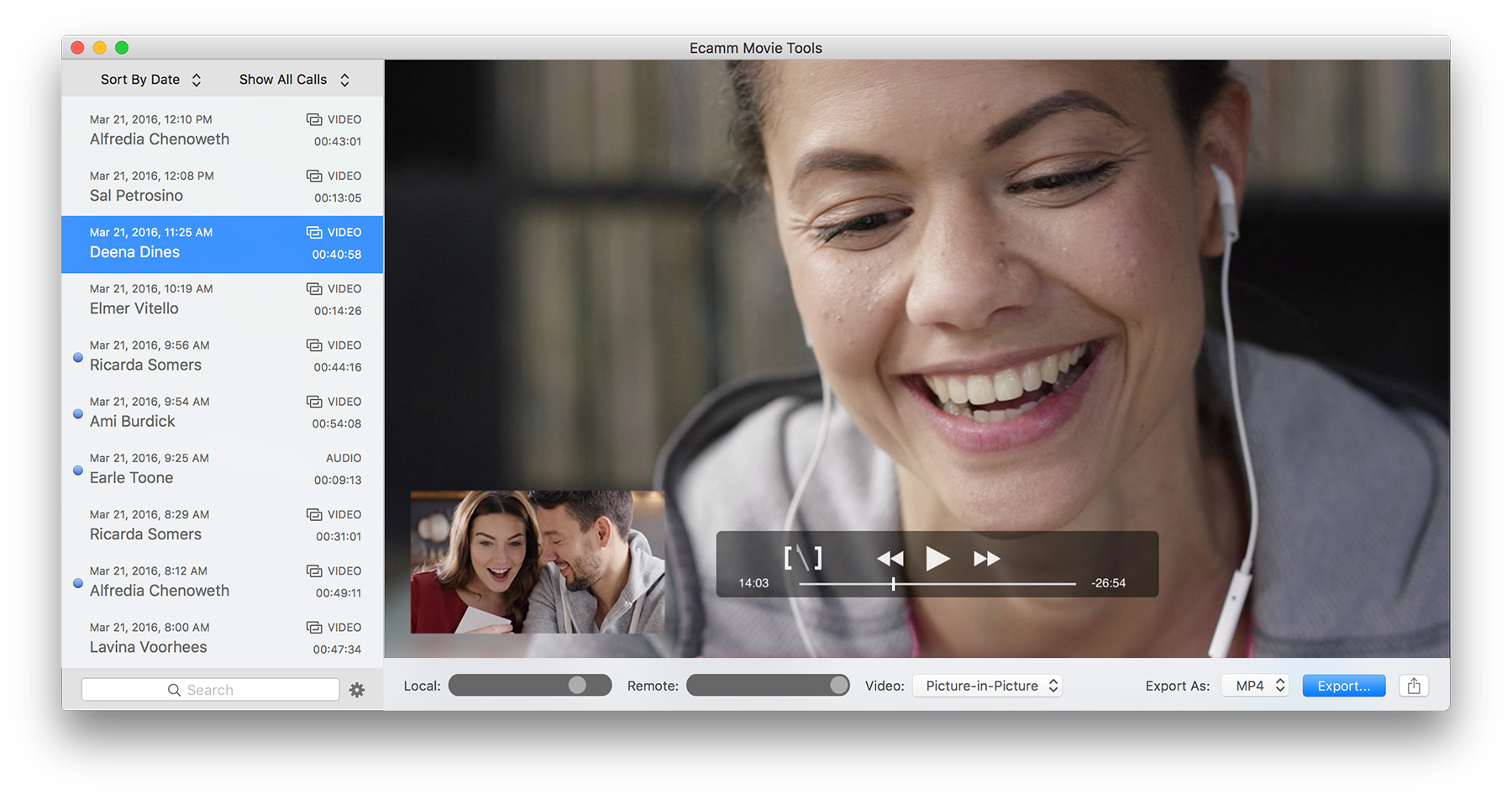
Skype provides fantastic high-quality video chat. Use Call Recorder to record your video sessions exactly as you see them or in our unique side-by-side and split-screen modes. Camera shy? There's even an option to just record the remote video.

Share Recordings in MP3 Format
Call Recorder makes it easy to convert your QuickTime movies into MP3 files. Simply drag a recorded QuickTime movie to the "Convert to MP3" utility and it will create an MP3 file, which can then be emailed or posted to a website.

Designed for Mac Users by Mac Users
We're a team of experienced enthusiasts who understand the high expectations you have for reliability and performance. Call Recorder takes advantage of several familiar technologies such as Quicktime, H.264 encoding and AAC audio.

Advanced Compression Technology Saves Space
There's no need to worry about filling up your drive with recordings. Since Call Recorder records AAC audio and H.264 video, file sizes are pleasantly small.

Try Before You Buy
Not sure if Call Recorder does what you need? Download the free demo version and try it out for 7 days. Purchase only if you like what you see. Have questions? Send us a message, and we'll write back as fast as we can.

One Record Button, Millions of Possibilities:
Annotate Calls in Realtime with Chapter Markers
Quickly create text tags during your recording to indicate important parts of your call. Mark where you finished your small talk and finally got down to business. Markers can be used later to quickly navigate the call in Quicktime Player.

Record a Podcast Interview
Let your imagination run wild. Recorded Skype calls sound even better than regular phone calls and are great for interviews and remote reporting. Calls are even recorded with each side of the conversation on separate sound tracks, which makes for easy editing.

Record Calls to Real Phones Too
With a SkypeOut calling plan, you can even call out to cellphones and landline phones worldwide. This is a great way to record an interview with someone who doesn't currently have access to Skype.

Go On The Record
You have your old emails and text chats saved for future reference, so why not keep a copy of your Skype calls too? Configure Call Recorder to record and save all calls, and you'll be surprised how often you refer back to recorded conversations when you can't remember exactly what you said.

With Great Power Comes Great Responsibility
Be aware of laws and regulations pertaining to the legality of recording conversations. In some states and countries, all parties must be aware that a conversation is being recorded in order for it to be legal. Check your local laws before using Call Recorder.


System Requirements:
Mac OS X 10.4 or later
Quicktime 7 or later
Skype for Mac 2.5 or later
click to download free demo

click to buy now

Every Order Includes:
Instant Order Fulfillment
Free Upgrades for Life


Some images above contain simulated content.
    Awards and Recognition:


MacFormat Choice

    Recent Tweets About Call Recorder:

ginatrapani @AndrewWarner Hey Andrew, we used CallRecorder to get those interviews based on your recommendation. Great software. Thank you! 1 day ago
supertintin @SacAppraiser try Supertintin or ecamm(mac only), both are simple Skype call recorder. easy to use. Not free although 1 day ago
kwidrick @cnmoody I use Call Recorder for Skype/Mac. Love it - we even use it in our high-def TV show. @cord 2 days ago
TheRiseToTheTop @RossPR - Ecamm Call Recorder here are some deets: The Smarter Faster Cheaper Guide To Online Video Tools http://bit.ly/aosKh2 3 days ago
itsaholliday I now have ecamm's call recorder for Skype, going to try it soon. Going to be great for video interviews and guest blogging. 3 days ago
loubortone @justaction Yes, but you need to purchase Call Recorder: http://www.ecamm.com/mac/callrecorder/ 3 days ago
Ginaschreck @bkajino Speaking of Skype video & call recorder...we need to do a vodcast! What are some dates you have open? 4 days ago
mvazquezs @jdlasica Thanks! The only issue with Call recorder is that it's only for Mac 4 days ago
jdlasica .@mvazquezs And @katrinah uses Call Recorder ($20) w/ Handbrake & Mpeg Streamclip to convert. http://bit.ly/9Ii3pw 4 days ago
jdlasica .@mvazquezs Maria, web producer friend @zadi says she uses Call Recorder. It's a Skype plugin. http://www.ecamm.com/mac/callrecorder 4 days ago


Remarks About Call Recorder:

"All I have to do is push the record button."

                                                -Julie-Ann McFann


"Skype has made long-distance calling via your computer easy and inexpensive, and Call Recorder 2.0 makes it a cinch to record a Skype chat for inserting into your next podcast: it's literally as simple as clicking on a button."

                                                -Macworld Review


"I just wanted to thank you for the Call Recorder. My parents and I spend a large portion of the year an ocean apart - the ability to record our conversations, especially with video, has been a real treasure."

                                                -Call Recorder Customer


about us  |   faq  |   contact us  |   download  |   purchase  |   freeware  |   rss feed  |   twitter  |   blog  |   terms of use / privacy  |  


© 2010 Ecamm Network, LLC. Mac, Leopard, iChat, iPad, iPhone, iPod Touch, QuickTime, Mac OS X, iOS, FaceTime, iBooks, PowerBook, MacBook and MacBook Pro are trademarks of Apple Inc. Skype is a trademark of Skype Limited. The Bluetooth word mark and logo are registered trademarks owned by Bluetooth SIG, Inc. and any use of such marks by Ecamm Network is under license.