Ecamm
🍎 Built Exclusively for macOS

The Only Live Streaming Studio Built for Mac

Stream, record, and present like a broadcast professional. Ecamm is the leading Mac-native live streaming app — built from the ground up for macOS, with every feature working exactly as you'd expect.

Start Your Free 14-Day Trial →

✓ 14-day free trial  •  No credit card required  •  macOS 11.2+
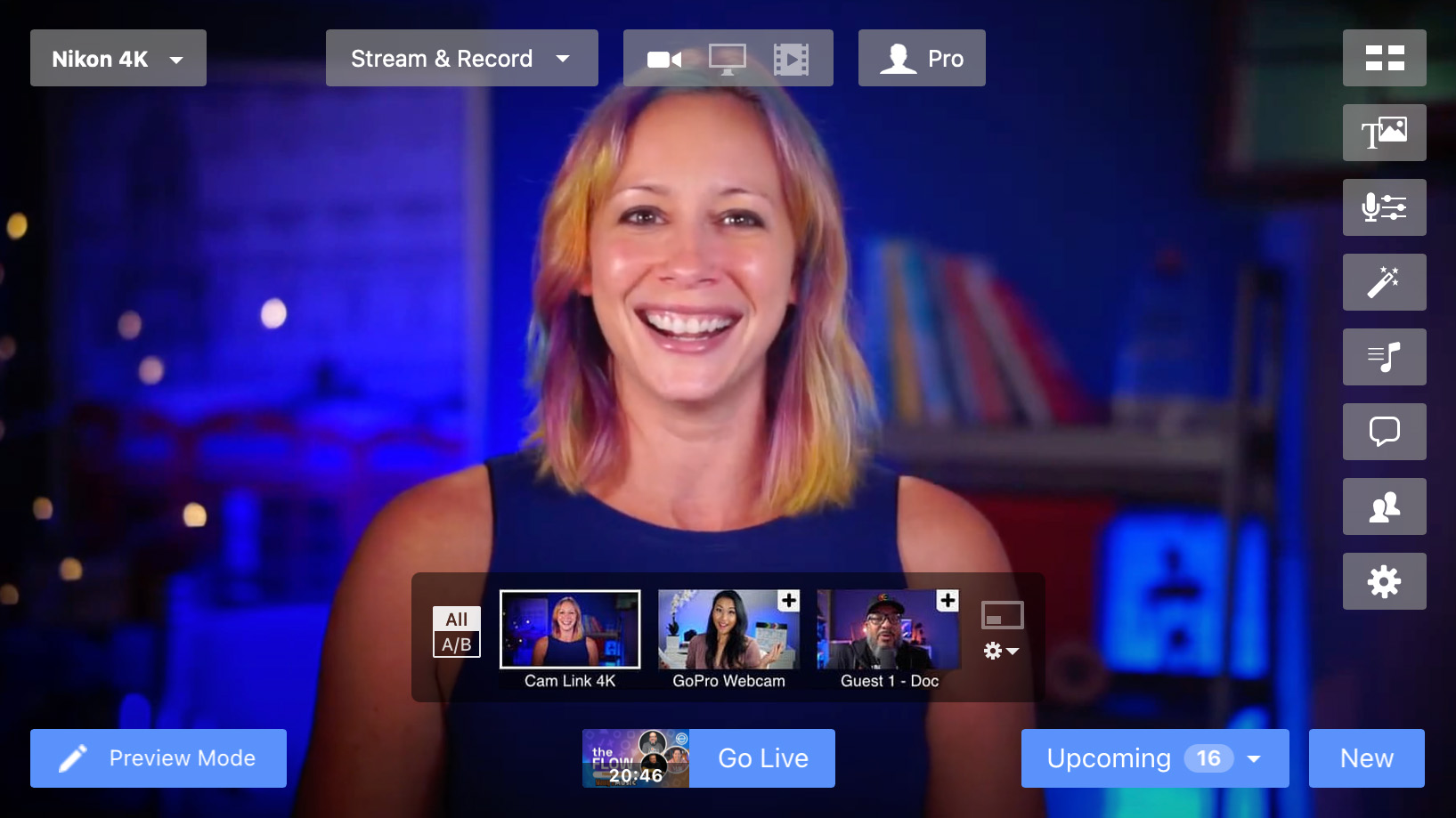
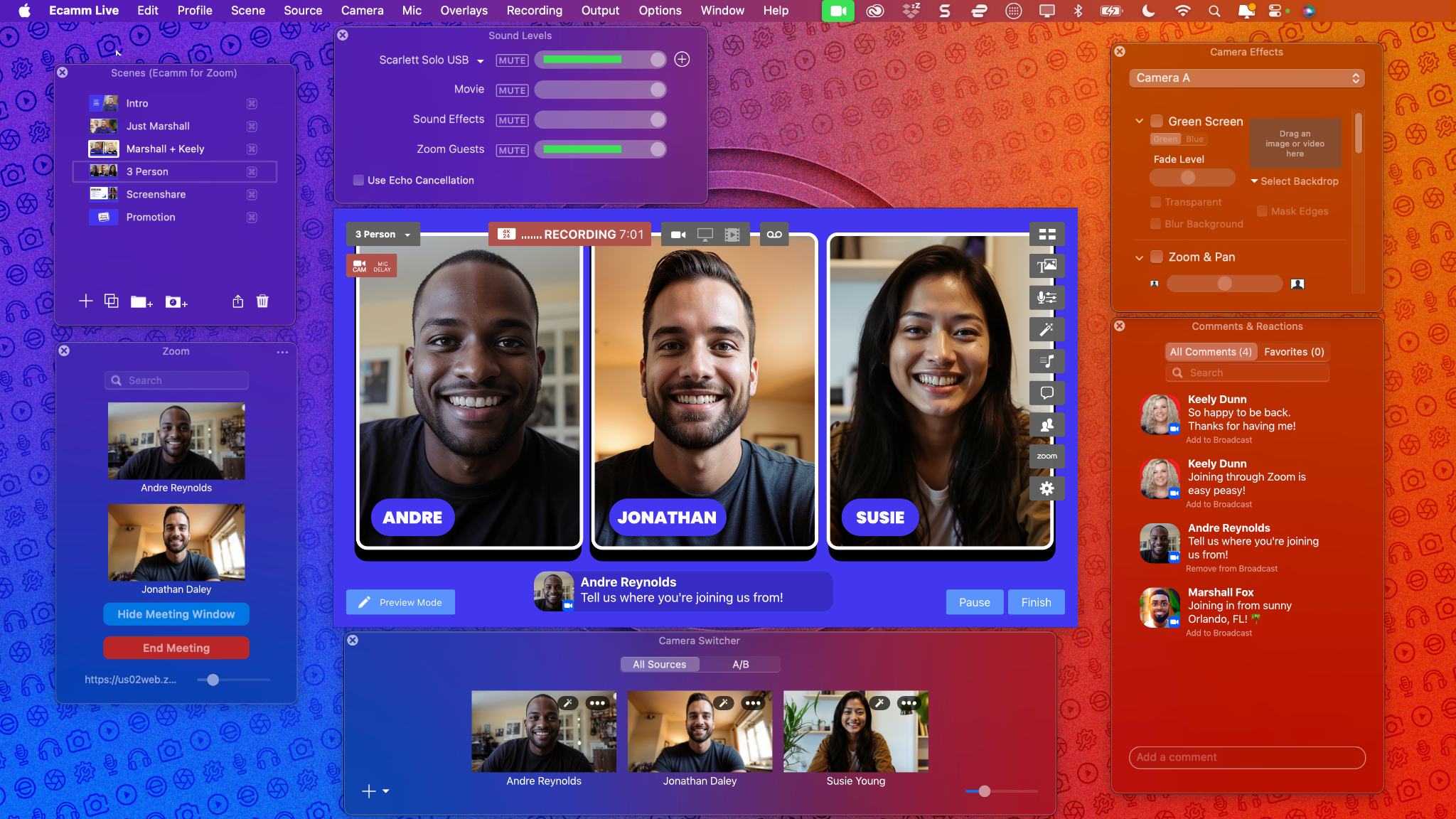
Ecamm — full streaming studio with multi-camera, scene switching, and live overlays
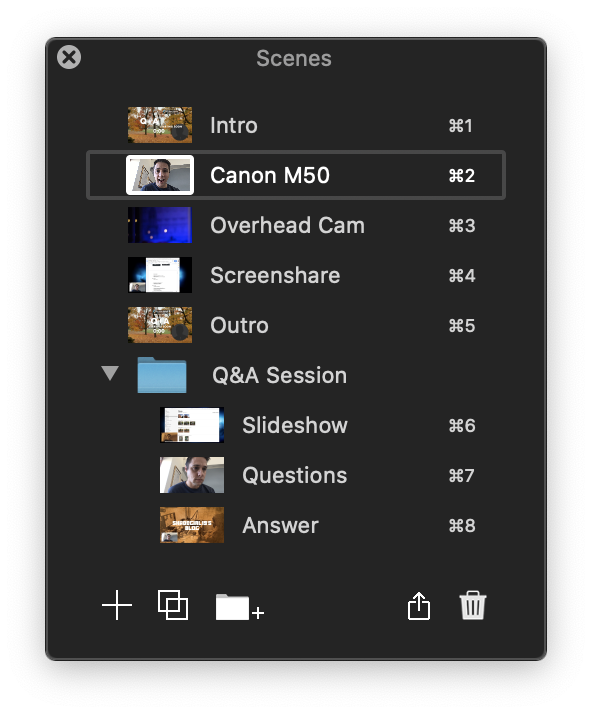
Ecamm scene switcher — cut between broadcast-quality layouts instantly
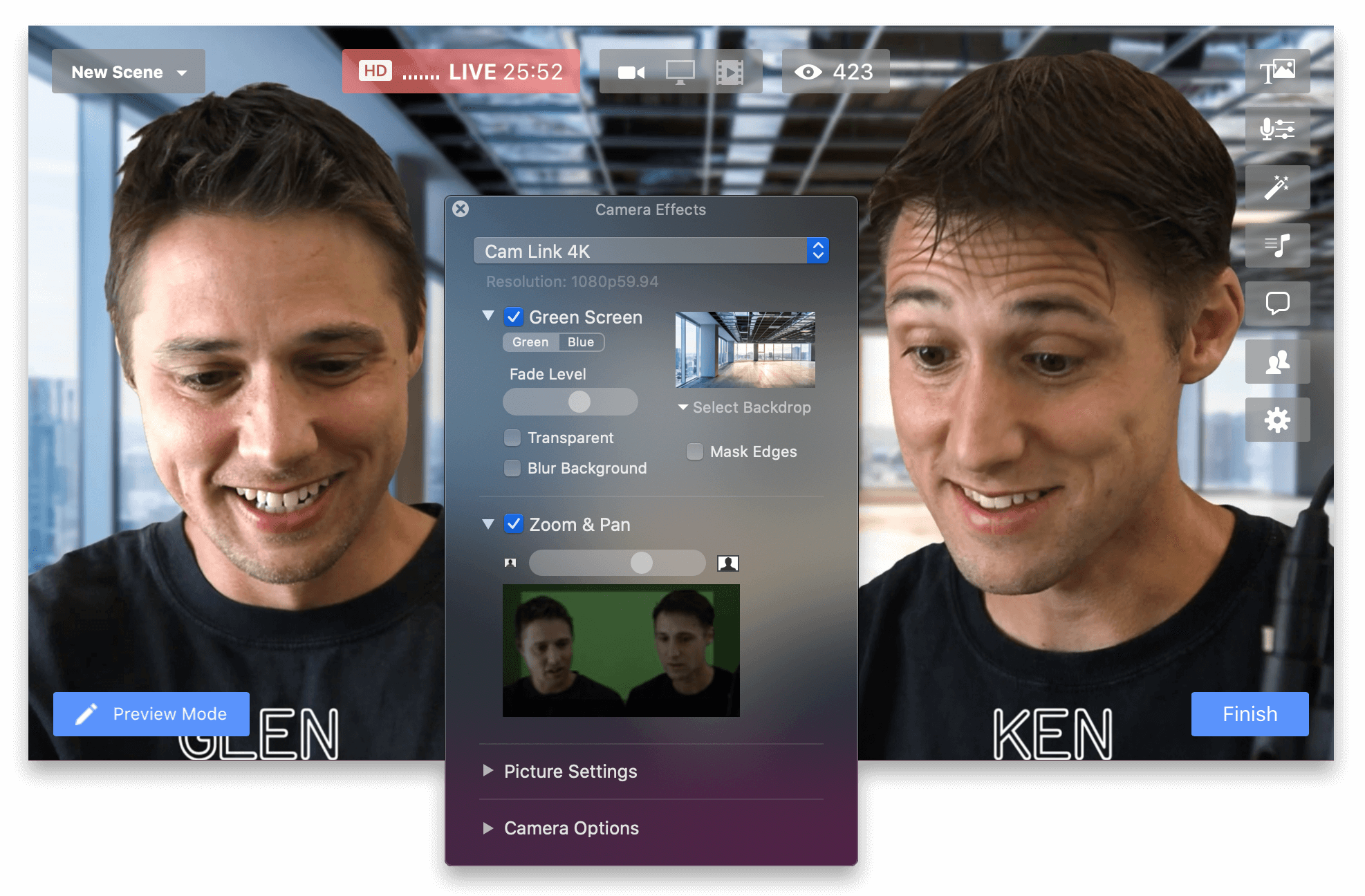
Ecamm camera effects — green screen, virtual backgrounds, blur, color LUTs
Ecamm Comments & Reactions panel
Ecamm for Zoom — 3-person live broadcast with split-screen guests
14-Day Free Trial — No Credit Card
Mac-Native App — Runs on macOS
Stream Everywhere — 10+ Platforms
Thousands of Creators Trust Ecamm

Stream live to all your favorite destinations
Stream to YouTube, Twitch, Facebook, LinkedIn, Instagram, Amazon Live, X and more

Everything You Need. Nothing You Don't.

Professional live streaming built right into one elegant Mac app.

Resilient Multistreaming

Broadcast to YouTube, Twitch, Facebook, LinkedIn, Instagram, and more simultaneously — with comments, scheduling, and no stream drops.

Professional Scene Switching

Build scenes in advance with split screens, titles, and graphics. Switch live with a single click — or control everything from your Stream Deck.

Green Screen & Camera Effects

Add virtual backgrounds and even live video backdrops. Digital pan & zoom, color LUTs, and advanced camera adjustments included.

Up to 10 Remote Guests

Bring guests in from any web browser. Instant split-screen or custom layouts make your interviews look broadcast-quality every time.

4K HDMI & DSLR Capture

Elgato Cam Link up to 4K, DSLR cameras via USB, iPhone as camera — Ecamm connects to every camera you already own, natively on Mac.

iOS Sharing via USB

Plug in an iPhone or iPad to use it as a live camera or share its screen directly — no wireless lag, no extra software needed.

Your Complete Studio — Right on Your Mac

Whether you're streaming, recording a podcast, or presenting on a webinar, Ecamm's native Mac interface means you spend less time on setup and more time creating.

  • Drag-and-drop logos, graphics, and animated overlays
  • Countdown timers, scrolling tickers, and ProRes animations
  • Stream Deck integration for instant, hands-free scene switching
  • Stereo audio mix with automatic echo cancellation
  • Virtual camera output — use Ecamm inside Zoom or Teams
  • Every broadcast automatically saved locally to your Mac
Try Free for 14 Days
Ecamm camera effects and green screen interface

What Creators Are Saying

Loved by Creators Everywhere.

“Dual Mode isn’t just a feature… it’s a game changer in how content gets created. Recording, Live Streams and Presentations done in horizontal and vertical at the same time—saving hours of work, reducing stress, and instantly expanding your reach!”— Luria Petrucci, Founder, Live Streaming Pros
“We’re already integrating Dual Mode into our client workflows and it’s dramatically simplifying content creation.”— Luria Petrucci, Founder, Live Streaming Pros
“Double the results, half of the work. The new Ecamm is a game changer.”— Trevor Lawrence Jr.
“I am loving Dual Mode because I can go live to multiple platforms in multiple formats at the same time! Being able to have different experiences for each audience is a complete game changer for me!”— XayLi Barclay
“Dual Mode can really transform the way you’re creating content and live streams. Record widescreen and portrait at the same time, with fully customizable layouts for each. It’s like having two separate instances of Ecamm inside one.”— Justin Brown, Primal Video
“It’s not just a feature, it’s a smarter way to build a multi-platform presence with less work!”— Brandon Washington
“Dual Mode isn’t just a feature… it’s a game changer in how content gets created. Recording, Live Streams and Presentations done in horizontal and vertical at the same time—saving hours of work, reducing stress, and instantly expanding your reach!”— Luria Petrucci, Founder, Live Streaming Pros
“We’re already integrating Dual Mode into our client workflows and it’s dramatically simplifying content creation.”— Luria Petrucci, Founder, Live Streaming Pros
“Double the results, half of the work. The new Ecamm is a game changer.”— Trevor Lawrence Jr.
“I am loving Dual Mode because I can go live to multiple platforms in multiple formats at the same time! Being able to have different experiences for each audience is a complete game changer for me!”— XayLi Barclay
“Dual Mode can really transform the way you’re creating content and live streams. Record widescreen and portrait at the same time, with fully customizable layouts for each. It’s like having two separate instances of Ecamm inside one.”— Justin Brown, Primal Video
“It’s not just a feature, it’s a smarter way to build a multi-platform presence with less work!”— Brandon Washington
“Dual Mode isn’t just cropping your widescreen into portrait. You get fully customizable layouts for each format, different cameras, different scenes. It’s really like two separate instances of Ecamm in one.”— Justin Brown, Primal Video
“We’ve been using Dual Mode for our cooking live streams and love it. It expands our reach to our audience and helps us connect with new viewers through vertical live discovery.”— Nouchaly Keo, Producer at BenjiManTV
“Recording content can feel like a full-time job, but there are always ways to work smarter—and Dual Mode is one of them.”— Marielou Mandl
“It might feel like you need more content, but that’s not necessarily true—you just need a better workflow and Dual Mode needs to be part of that.”— Marielou Mandl
“I am loving Dual Mode because I can go live to multiple platforms in multiple formats at the same time! Not to mention maintaining my own unique branding and show experience across the board.”— XayLi Barclay
“Double the results, half of the work. The new Ecamm is a game changer.”— Trevor Lawrence Jr.
“Dual Mode isn’t just cropping your widescreen into portrait. You get fully customizable layouts for each format, different cameras, different scenes. It’s really like two separate instances of Ecamm in one.”— Justin Brown, Primal Video
“We’ve been using Dual Mode for our cooking live streams and love it. It expands our reach to our audience and helps us connect with new viewers through vertical live discovery.”— Nouchaly Keo, Producer at BenjiManTV
“Recording content can feel like a full-time job, but there are always ways to work smarter—and Dual Mode is one of them.”— Marielou Mandl
“It might feel like you need more content, but that’s not necessarily true—you just need a better workflow and Dual Mode needs to be part of that.”— Marielou Mandl
“I am loving Dual Mode because I can go live to multiple platforms in multiple formats at the same time! Not to mention maintaining my own unique branding and show experience across the board.”— XayLi Barclay
“Double the results, half of the work. The new Ecamm is a game changer.”— Trevor Lawrence Jr.

Ready to Upgrade Your Mac Live Streams?

Download Ecamm and start your 14-day free trial today. No credit card, no commitment — just professional-quality streaming from your Mac. Download Ecamm — Start Free Trial →