
Bring Ecamm's scenes, overlays, and pro-quality audio and video right into your Zoom meetings, webinars, and events.
Most webinars are just slides and someone talking over them. Join Doc Rock from Ecamm and Josh Brage from Zoom for a hands-on session on planning, polishing, and repurposing webinars people actually want to watch.
Watch on YouTube to chat live and get a reminder
Ready to try it yourself? Start your free trial. Want a little more time? Grab the workshop follow-up and we'll send you the good stuff.
Download Ecamm, connect it to Zoom, and run your next call with scenes, overlays, and screen shares that actually look good. No credit card required.
Works on Mac. Cancel anytime.
Get the workshop takeaways, a few setup tips for Zoom, and a heads-up on what's next. Short, useful, and easy to unsubscribe from.
We respect your inbox. Unsubscribe anytime.
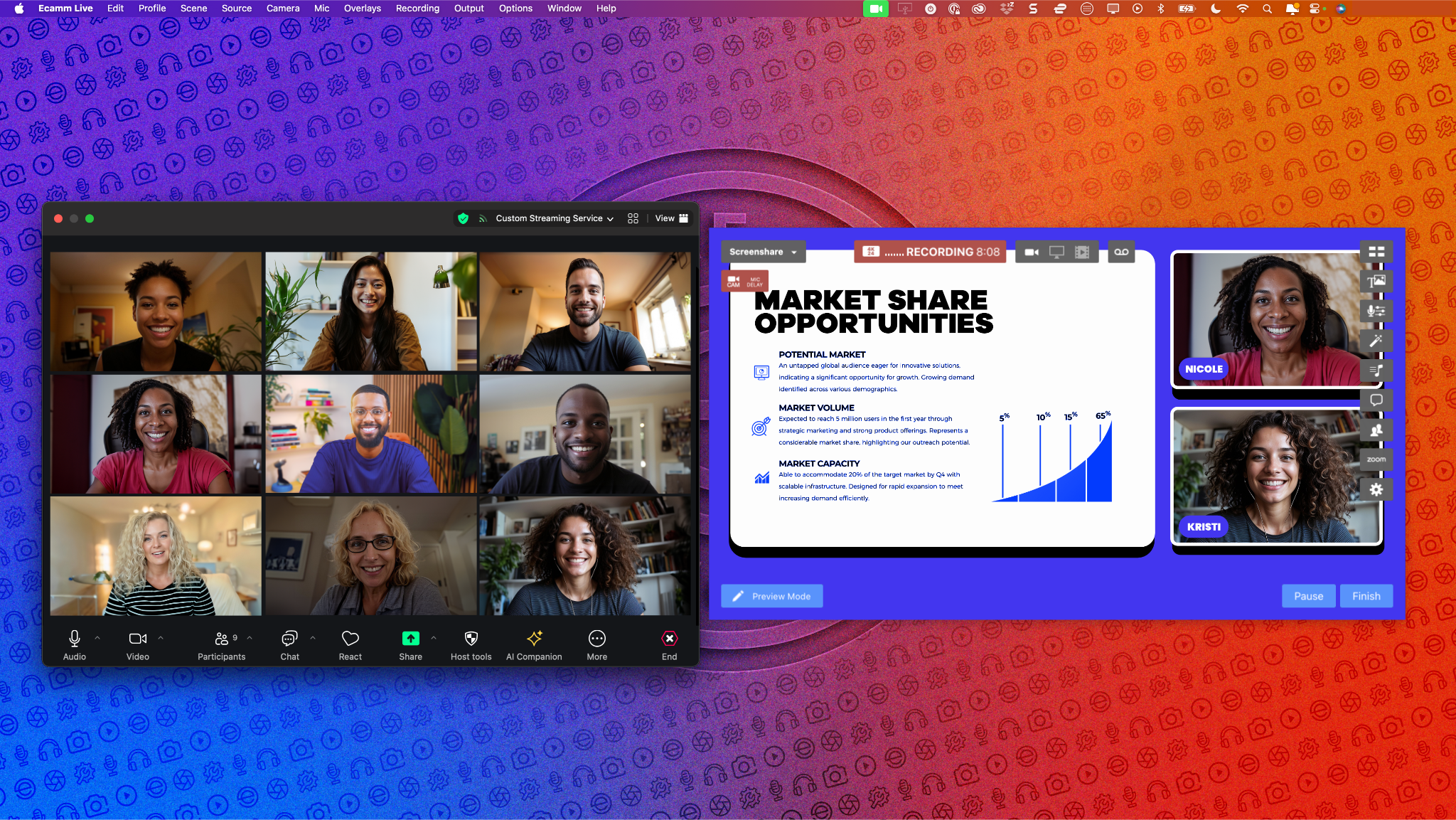
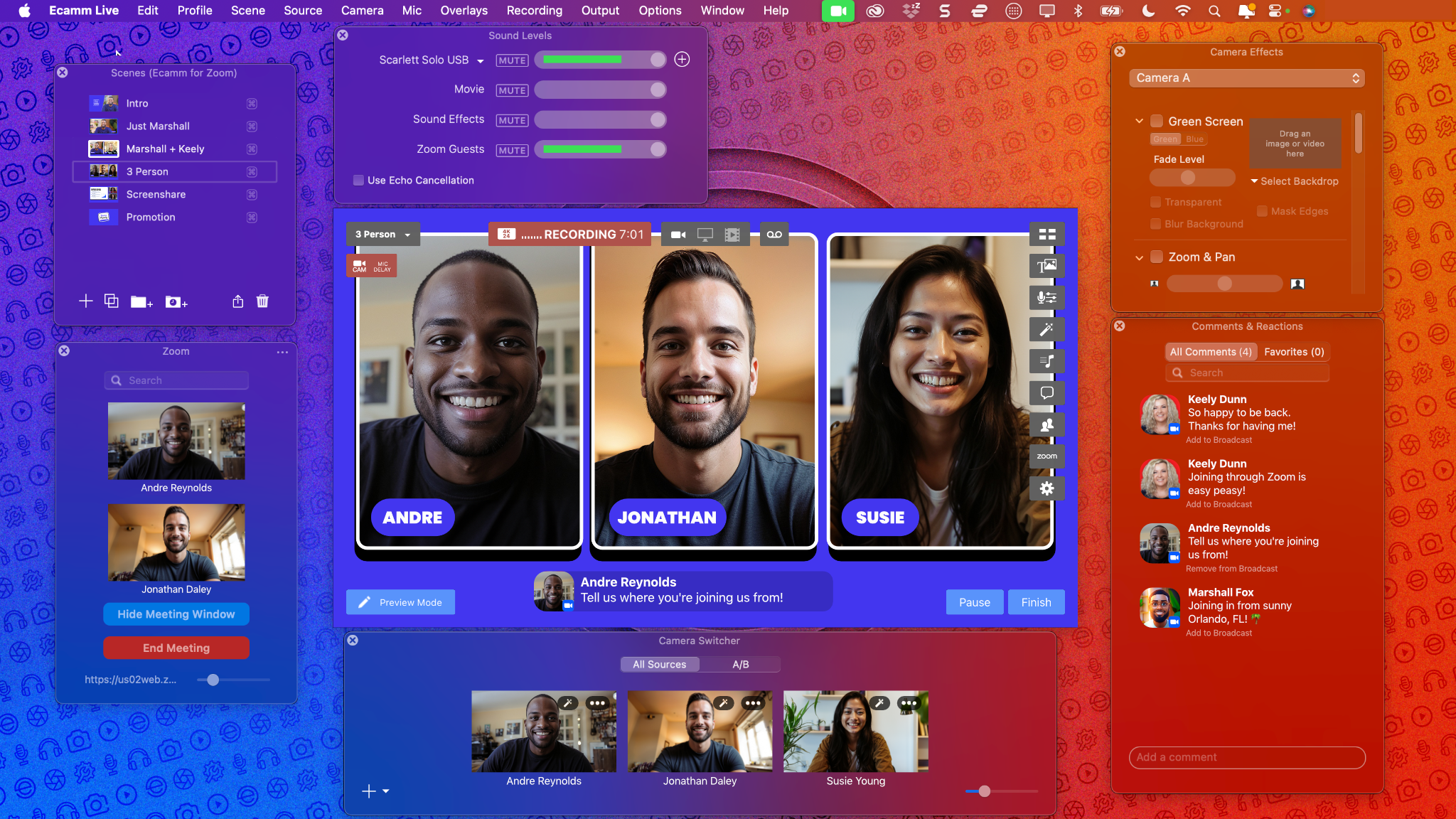
Ecamm for Zoom connects Ecamm directly to Zoom, so your meetings, webinars, and events get the same production quality as your live streams. Bring in up to eight Zoom participants as camera sources, send Ecamm's video and audio straight into Zoom, record every participant on their own track, and put Zoom chat messages on screen.

Add up to eight Zoom participants as camera sources in your broadcast or recording.
Automatically send Ecamm's audio and video output into a Zoom Meeting, Zoom Webinar, or Zoom Event.
Automatically create individual participant audio and video recordings during a live stream or recording.
Add Zoom chat messages to your meeting broadcast or recording as text overlays.
Co-founders Glen and Ken walk through how it works, from bringing in guests to putting chat on screen.
You can also use it for:

"It's the update we've all been waiting for, and so much more! Not only can you finally display Zoom comments on screen, you don't even need to open the Zoom app to join your meeting. It's an all-in-one solution to run a Zoom meeting like a pro!"

"Ecamm for Zoom has made the ability to bring in guests even easier. An easy and simple workflow for people that are familiar with Zoom augmented with the power of Ecamm takes my productions to the next level."

"Ecamm for Zoom is an absolute game changer. Take the absolute best live video production tool for the Mac and marry it with the industry leader for multicasting and you've got Ecamm for Zoom. With Ecamm for Zoom, productions are not only higher quality but also far simpler for both the producer and the talent."

"As a remote live producer, Ecamm's new Zoom integration has been a game-changer for managing webinars, virtual summits, and remote video recording. The integration is incredibly easy to use, streamlining the production process and making everything run so much smoother. Ecamm has truly outdone themselves with this integration, and I couldn't be more impressed."
Short walkthroughs to get you from download to your first Zoom session.
Try Ecamm free for 14 days. No credit card required.
Download Ecamm