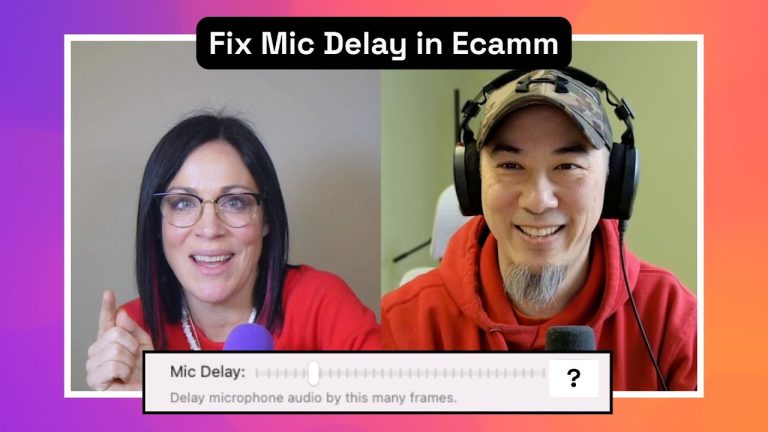
Are audio sync issues sabotaging your livestream or recording sessions? Whether you’re a beginner or an experienced content creator, achieving seamless audio-video synchronization can feel like a daunting task.
But don’t worry, we’re here to untangle the confusion and give you actionable steps to ensure your audio and video are perfectly in sync every time you hit record or go live. Let’s dive into the world of mic delays, drift, and pro-level fixes!
Understanding Audio Sync Issues
One of the most common frustrations creators face is when their audio and video don’t align. This could manifest as your voice being heard before or after your lips move on screen; a problem that can distract viewers and impact the quality of your content.
So, what’s happening here? Often, the culprit is a delay caused by the differences in how video and audio are processed. Video requires more computational power, making it slightly slower to render compared to audio. This mismatch can cause your streams or recordings to feel “off.” Thankfully, Ecamm Live provides tools to address this, including the ability to set a mic delay in the preferences.
How to Fix Audio Sync Issues in Ecamm Live
Here’s a step-by-step guide to identify and fix audio delays:
- Step 1: Use a Clap Test: Record a short clip of you clapping your hands. Then, watch the playback to determine if the audio matches the exact moment your hands meet.
- Step 2: Adjust Mic Delay: Inside Ecamm Live’s preferences, navigate to the audio tab and use the mic delay feature to sync your audio and video. Tools like squares.tv can help calculate the precise delay needed.
- Step 3: Test Your Setup: After making adjustments, record another clip to ensure everything is perfectly aligned. Repeat this process whenever you make changes to your gear or settings.
Avoid Common Pitfalls: Lag vs. Delay vs. Drift
Let’s break down some commonly misunderstood terms:
- Lag: This typically refers to temporary pauses or stuttering where the audio “catches up” to the video. It’s not the same as sync issues.
- Delay: This happens when audio consistently arrives before or after the video. It’s a fixed discrepancy that can be resolved with mic delay adjustments.
- Drift: Unlike delay, drift occurs when the audio and video gradually fall out of sync over time. This often results from mismatched audio sample rates (e.g., 44 kHz vs. 48 kHz). To avoid this, ensure all your devices are set to 48 kHz.
Pro Tips to Streamline Your Workflow
Want to take your syncing game to the next level? Here are some expert tips:
- Use Wired Headphones: Avoid Bluetooth headphones during testing, as they introduce additional delay. Plugged-in headphones or speakers provide a more accurate reference.
- Sync Through Your Camera: For guaranteed synchronization, send your microphone signal directly to your camera’s mic input. This ensures the audio and video arrive together via your capture card.
- Test Frequently: Anytime you change your gear, whether it’s a new capture card, camera, or audio interface, retest your setup to maintain sync.
Bonus Audio Issue: Tackling Drift
If your audio and video seem to drift apart during longer recordings, it might be due to mismatched audio sample rates. Most USB microphones and cameras default to 48 kHz, but some devices operate at 44 kHz. This discrepancy can cause your audio track to appear shorter than your video in post-production.
To prevent drift, ensure all your hardware and software are configured to the same rate. For most setups, 48 kHz is the standard.
When All Else Fails: The Simplest Solution
If sync issues persist despite your best efforts, consider this foolproof method: route your microphone audio through your camera. This eliminates the need for manual sync adjustments, as the video and audio arrive to the computer as a single, synchronized stream. Adjust your Ecamm Live settings to use your camera as the audio source, and you’re good to go!
Final Thoughts: Perfect Sync, Every Time
Syncing audio and video might seem complicated at first, but with the right tools and techniques, it becomes second nature. From adjusting mic delays to eliminating drift, these tips will help you create polished, professional content that wows your audience.
What’s your go-to solution for audio sync issues? Share your tips in the comments or join us in the Ecamm Community to keep the conversation going.